Without Smart Clicker
Watch and wait
- Keep checking the page
- Remember the exact time
- Repeat the same manual action
 Smart Clicker
Browser-based click scheduling
Select a webpage element, choose when it should run, and let Smart Clicker handle the click automatically.
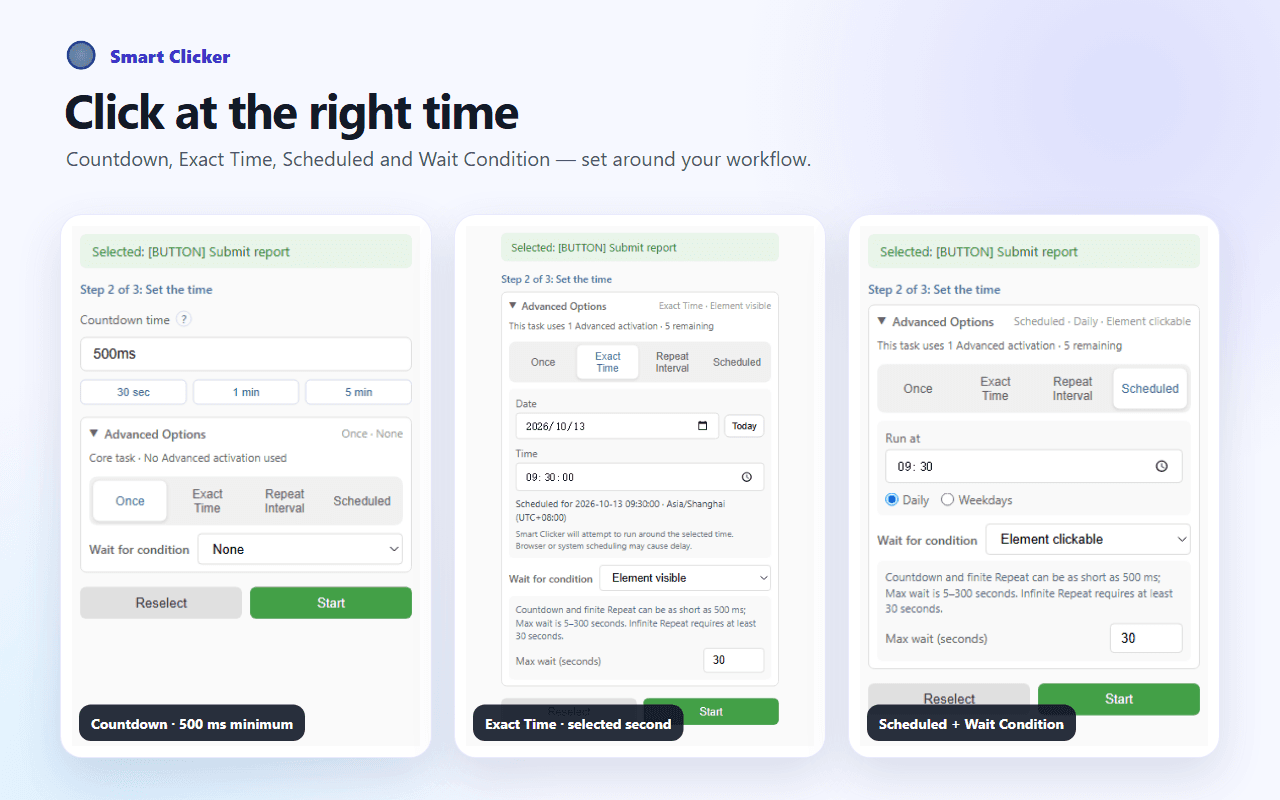
Use a countdown from 500 ms, choose an Exact Time, or reuse a saved task. No coding, and no need to keep the extension popup open while an active task waits.
Use a countdown from 500 ms, Exact Time, schedules, or repeats.
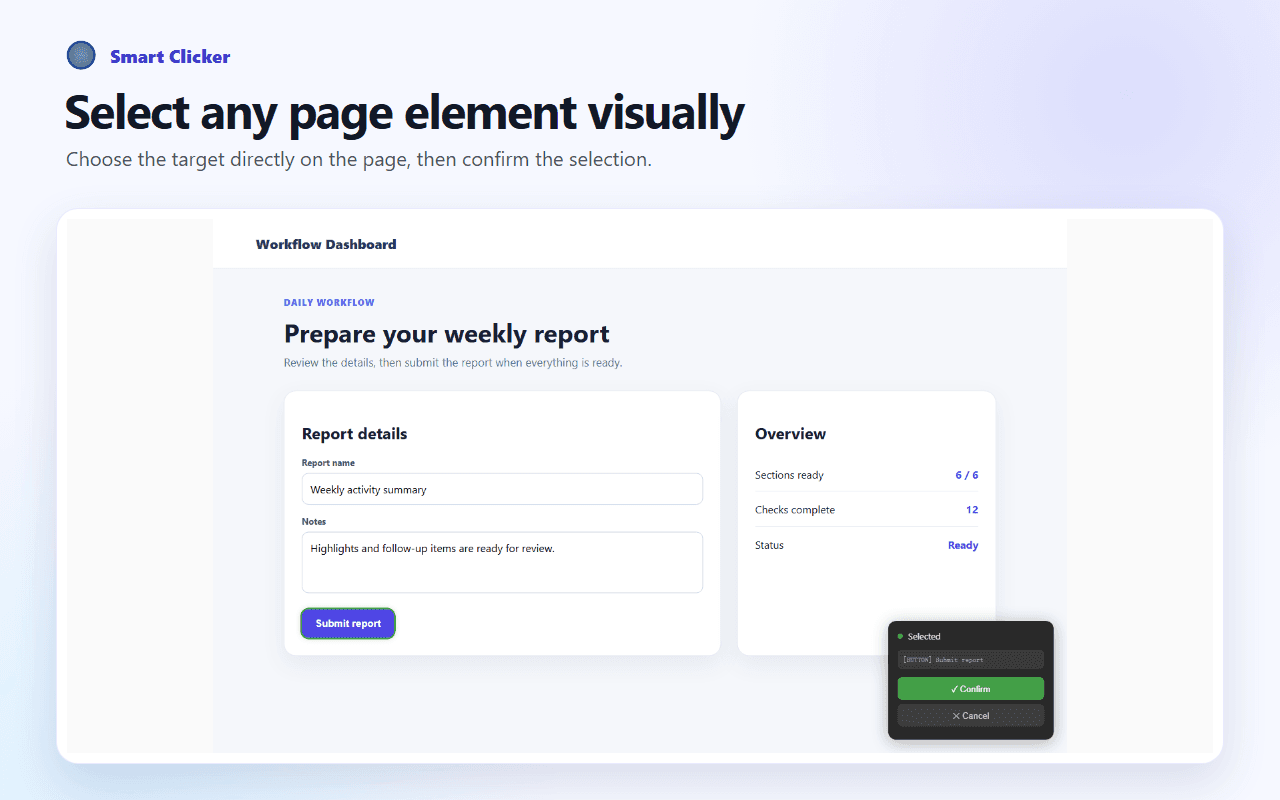
Pick the exact webpage element you want to automate.
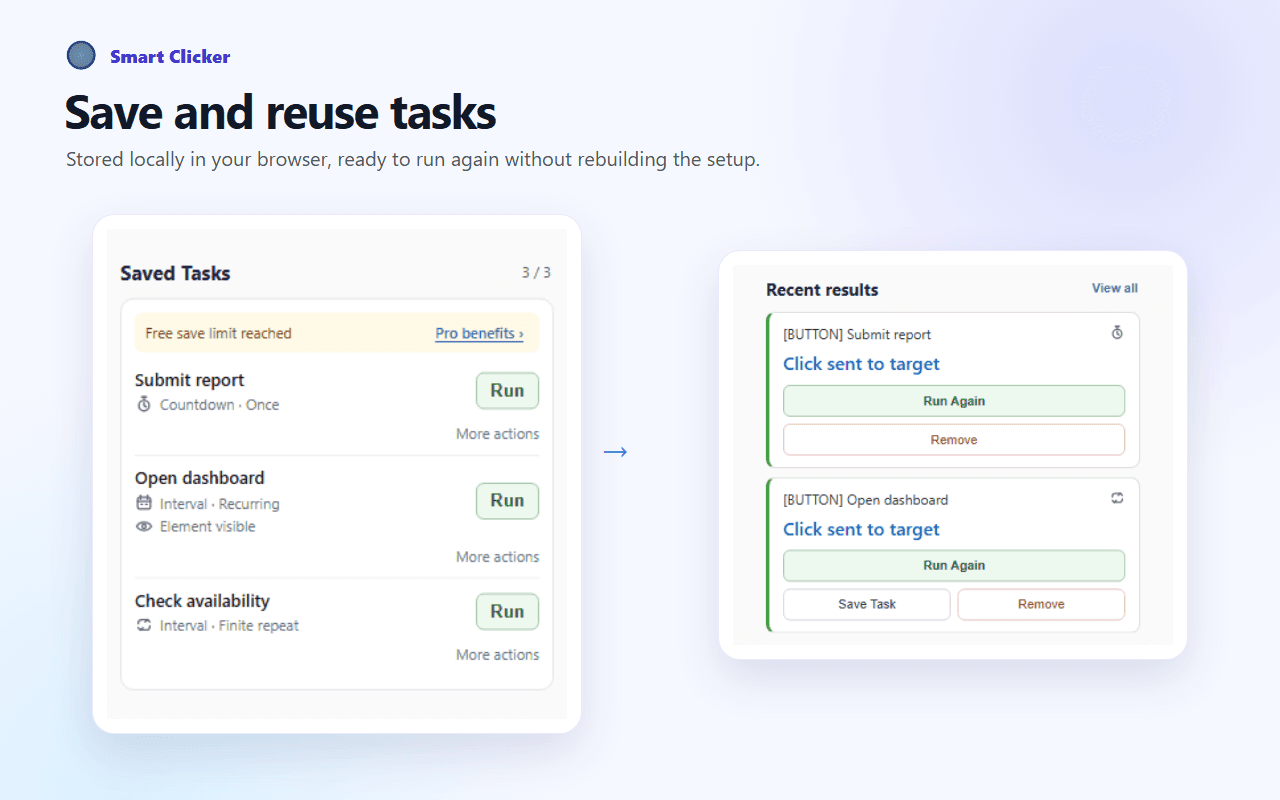
Save task setups locally, reuse them, and run them again.
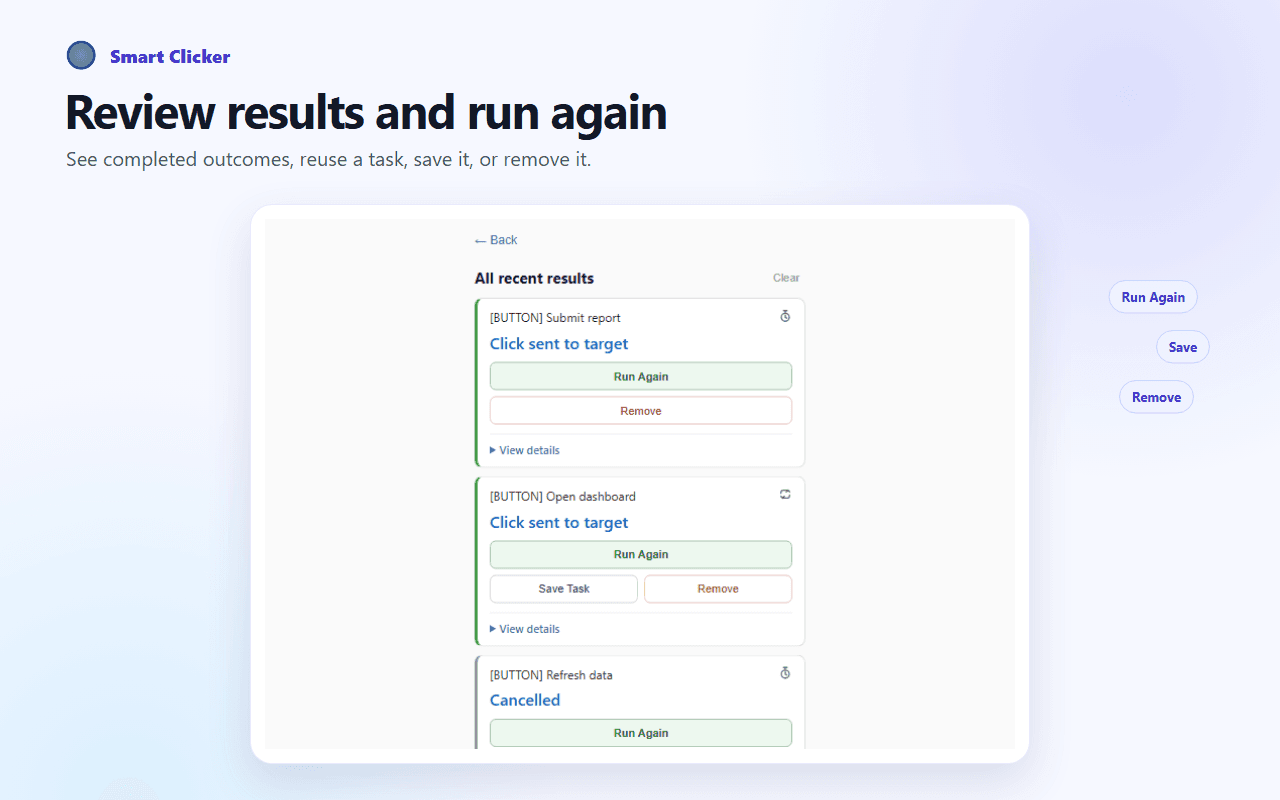
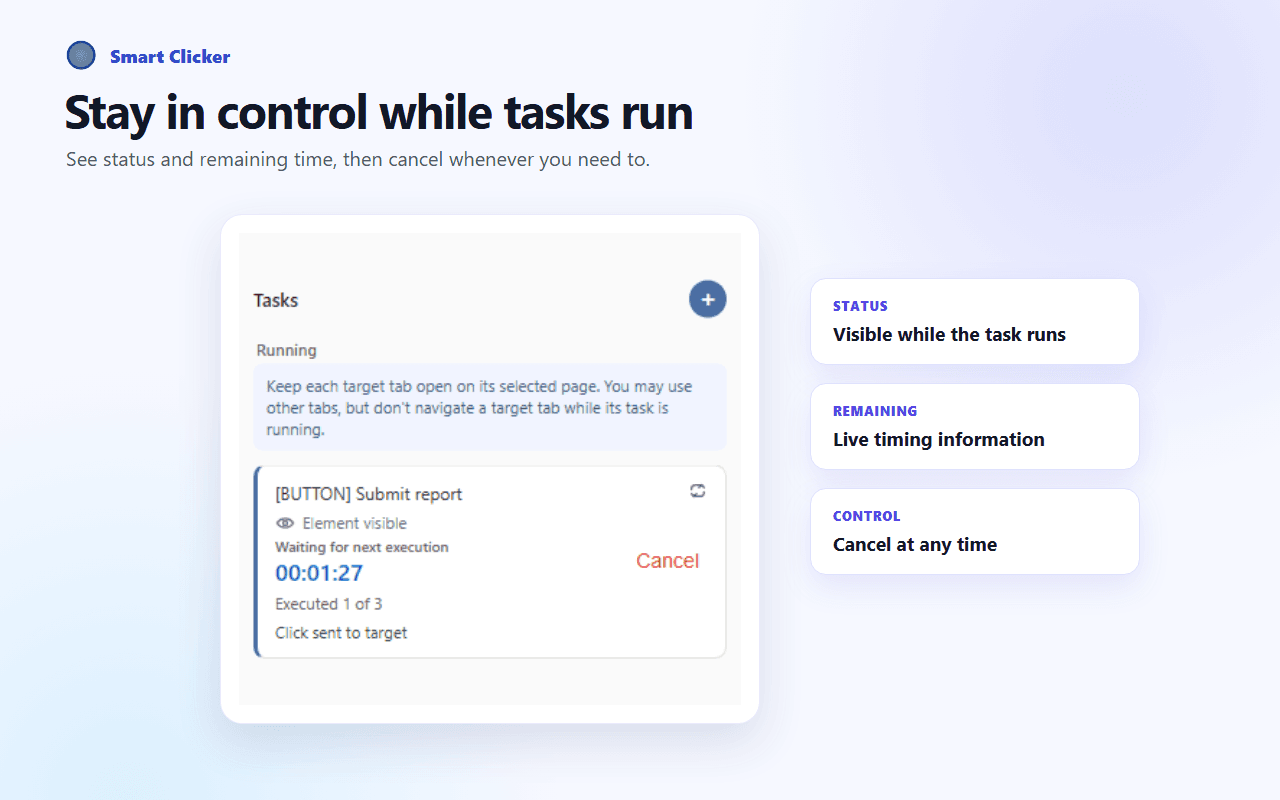
Review recent results and cancel active tasks when needed.
Set it ahead of time
Some webpage actions make you wait for a specific time, repeatedly check a page, confirm the same thing again, or watch for a button to become available.
Instead of watching the page, prepare the task in advance.
Without Smart Clicker
With Smart Clicker
Core features
Select a webpage target, choose flexible timing, save reusable setups, and stay in control without code.
Choose the target directly on the webpage. Smart Clicker highlights the element and verifies your selection before the task starts.
Target the element—not a fixed screen coordinate.Start with a countdown from 500 ms, choose a future Exact Time, or use scheduled, repeat, and Wait Condition options.
Basic countdowns are unlimited on Free; timing is best effort and can be affected by the browser or system.Explore scheduled clicking →Save task setups locally, reuse saved tasks, and run completed setups again after Smart Clicker rechecks the current page and target.
Free includes up to 3 saved tasks; Pro removes the saved-task limit.Review local Recent Results, reuse bounded task history, monitor active tasks, and cancel a task whenever needed.
Recent Results are local, removable, limited to the latest 5 outcomes, and do not sync to the cloud or across devices.Three simple steps
Select a target, configure or save the setup, then run the task and review the result.
Choose the webpage element you want Smart Clicker to click.
Choose the timing and optional Wait Condition, then save the setup locally if you want to reuse it.
Start the task, monitor or cancel it, then review the result or run the setup again.
Advanced options
Free includes 5 successful Advanced task activations in total with no automatic reset; Pro makes Advanced activations unlimited. Execution remains best effort.
A selected future local date and time, to the second
Ask Smart Clicker to attempt the click around the local time you selected.
Finite from 500 ms · Infinite from 30 sec
Repeat the selected click for a set count or continue at the supported infinite-repeat interval.
Every weekday at a selected time
Schedule a task for daily or selected weekday routines.
Visible · Clickable · Matching page text
Wait for the page state you configured before attempting the click.
Product preview
Real Smart Clicker v1.5 screens for timing, saved workflows, results, visual selection, and active task control.
Why Smart Clicker
Focused safeguards and browser-native behavior keep simple clicking tasks understandable.
Smart Clicker targets actual webpage elements instead of fixed screen coordinates.
The extension popup does not need to remain open while an active task waits.
If the selected page disappears or changes, Smart Clicker does not silently move the task to an unrelated page.
Task configuration remains stored locally in the browser, with limited anonymous product analytics disclosed below.
Use cases
Use Smart Clicker for focused, permitted webpage actions where timing or repetition matters.
Smart Clicker assists with the configured webpage click. It does not guarantee submission, availability, qualification, inventory, bookings, queues, verification, or any website outcome.
Privacy & safety
Task data is stored primarily in your browser. Limited anonymous analytics and online services for Pro purchase and recovery are disclosed in the Privacy Policy.
Task-related configuration stays locally in your browser.
Smart Clicker sends a limited set of anonymous product-usage events to Mixpanel. These events do not include:
Questions, answered
A timed auto clicker performs a click after a countdown or according to a schedule. Smart Clicker is designed specifically for webpage elements.
Webpage elements. You visually select the target on the page, so the task is not based on a fixed screen coordinate.
Yes. Active tasks use browser background scheduling, so the extension popup does not need to remain open. This does not mean tasks run after the browser is completely closed.
Smart Clicker supports countdowns from 500 ms, a selected future Exact Time, daily or weekday schedules, finite Repeat from 500 ms, infinite Repeat from 30 seconds, and Wait Conditions. Browser and system scheduling can affect execution, so timing is best effort.
No. Browser-protected pages, extension stores, some cross-origin iframes, and site anti-automation measures can prevent operation. Smart Clicker does not bypass CAPTCHAs or website protections, and it cannot guarantee tickets, bookings, inventory, submissions, or other website outcomes.
Smart Clicker is currently available from the Chrome Web Store and Microsoft Edge Add-ons.
Ready when you are
Choose the target, set the timing, and let Smart Clicker handle the rest.